
This is the category I have probably learned the most about.
I have experienced with PBR textures, alpha maps, UV scaling and animation, and much more.
landscape and mpc img
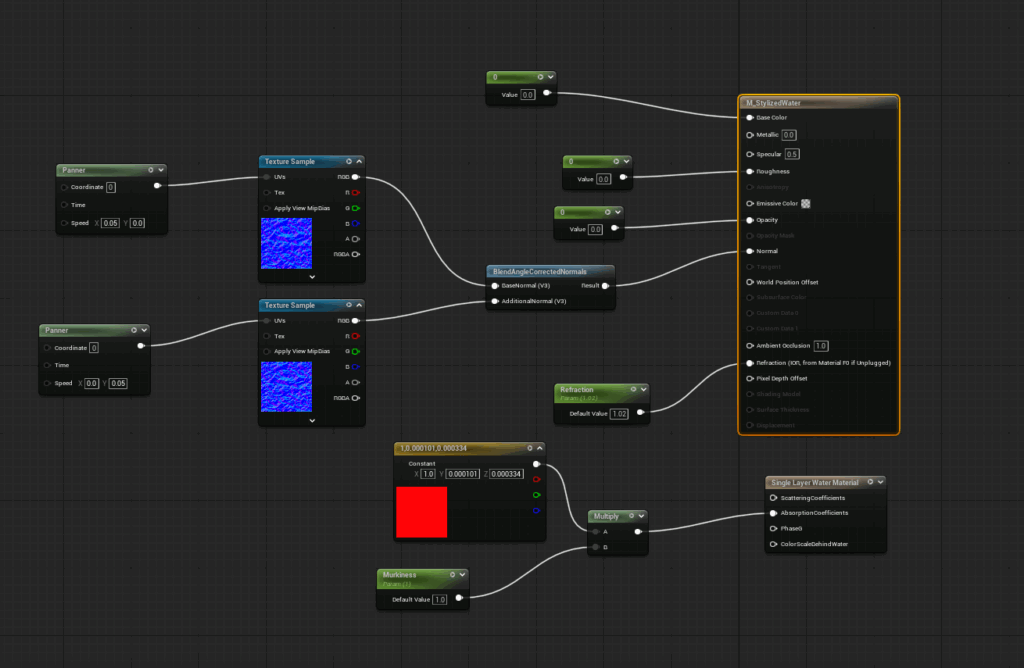
Materials determine how a surface appears in your game, including its color, reflectivity, texture, transparency, and whether it emits light. They tell the engine how to render each object.
Some key material parameters include:
- Base Color – Sets the primary color or texture of the surface.
- Metallic – Defines whether the surface behaves like a metal (reflective) or non-metal (matte).
- Roughness – Controls the smoothness of the surface. Smooth surfaces reflect light sharply, while rough surfaces scatter reflections.
- Specular – Affects how much light bounces off non-metal surfaces.
- Normal – Adds surface detail, such as bumps or grooves, without altering the mesh geometry.
- Emissive – Makes parts of the material emit light.
- Opacity – Controls transparency for materials like glass or other see-through surfaces.
Advanced parameters like Displacement, World Position Offset, and Parallax allow you to add depth, movement, or distortion to surfaces. These are useful for specific effects or stylized visuals.
Insert video here.
Below are the sub-posts that go into detail about each of the topics I listed.
Again, I am still learning, this is just what has helped me. If anybody has any feedback, reply below.
Leave a Reply